
How to Use the Brat Generator: Step-by-Step (2026 Edition)
The 2026 walkthrough of the Brat Generator: 11 colors, 6 layouts, the sticker effect, banner exports, and template deep links — honest specs for every feature.
The brat generator is a free browser tool for making images in the style of Charli XCX's brat album cover — the stretched lowercase type on a loud flat color. This walkthrough covers everything the tool can do in 2026: every color preset, all six layouts, the sticker effect, banner exports, and the one-click template links on our album and cover pages. Nothing here needs an account, and every image renders locally in your browser.
What Is Brat Style?
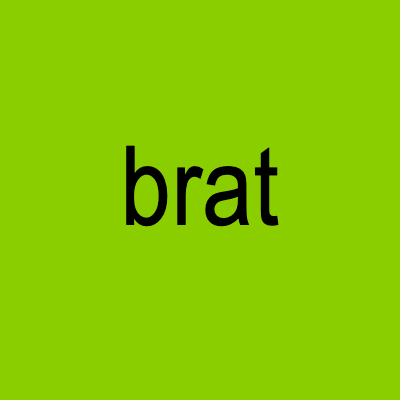
Brat style is one lowercase line of stretched, slightly blurry-looking type on a single loud color — most famously the album green (#8ACE00). The look became a universal visual shorthand after the album's 2024 rollout, and it still works because the format does the talking: pick a color era, type a short line, done. Our brat green hex code page documents every color value if you want the full story.
Quick Start Guide
Step 1: Enter Your Text
- Type your text in the input box — it automatically renders lowercase for the authentic look.
- There is no word limit. Short lines fill the canvas; longer lines wrap automatically.
- One to eight letters is the sweet spot for the classic single-word cover.
Step 2: Pick a Color Preset
The generator ships with ten album-era presets plus a custom color — each pulled from an actual Charli XCX release:
- brat — the famous green (#8ACE00) with black text
- brat deluxe — clean white with black text (the deluxe album look)
- crash — blue background with red text
- pop 2 — lavender with black text
- true romance — deep purple with white text
- sucker — bubblegum pink with white text
- vroom vroom — black with graphite text
- number 1 angel — red with brighter red text
- how i'm feeling now — white with pale grey text
- charli — warm grey with black text
- custom — any background and text color you like
Or skip the picker entirely: open Custom color to learn the exact hexes, then dial them in yourself.
Step 3: Adjust Colors (Optional)
- Background and text color: use the pickers or type hex codes.
- Contrast matters: black text on the famous green is the canonical pairing — white text on green is nearly unreadable (it fails every contrast standard; the math is on the green hex code page).
- The preview canvas updates instantly as you change anything.
Step 4: Choose a Layout
Six layouts, each one click:
- Center — the canonical single-word cover
- Left-aligned — the casual list-note look
- Center mirror — horizontal mirroring for that warped brat energy
- Diagonal mirror — maximum chaos
- Rect center and rect center mirror — the wrapped-sentence layouts that fit longer text like banners
Step 5: Add the Sticker Effect (Optional)
The Sticker Effect toggle wraps your text in the signature white die-cut border with a soft shadow — the physical-sticker look. Exporting with the border is a Pro feature; previewing it is free. For stickers specifically, the brat sticker generator is the same editor tuned for chat-app stickers.
Step 6: Download
Hit Download and you get a crisp 600×600 PNG, watermark-free, no account needed. The banner-style rect layouts export at 800×200, sized for headers and X banners. Files render entirely in your browser — your text never touches a server.
Using Templates Instead of a Blank Canvas
You don't have to start from scratch. The brat album cover generator has six era-accurate album templates, and the brat cover generator has six composition recipes — every one is a deep link that opens the generator prefilled with the text, colors, and layout already set. Swap in your own words and download. The gallery works the same way: 49 presets, each with a "use this preset" button.
Advanced Tips
Color Matching
- Start with the era presets — they're already balanced.
- High contrast wins: dark text on loud colors, light text on dark colors.
- The canonical look is black text on brat green (#8ACE00).
Typography
- One to eight words is the authentic range — the type should fill the frame.
- Letter spacing and font size are adjustable with sliders; the auto-fit handles most cases.
- Mirror layouts change the whole mood — use them deliberately.
Copy Ideas
- Verdicts: "unbothered", "cooked", "so back"
- Statuses: "mentally at the club", "post nap clarity"
- Song titles: "so julia", "360", "club classics" — track names read as ready-made captions
- More starters live in the gallery captions section — each one opens the generator prefilled.
Where to Use Your Images
- Feeds: the 600×600 square posts natively on X, Instagram, TikTok, Discord, and Reddit.
- Group chats: turn designs into die-cut stickers with the sticker generator.
- Video: export a PNG and overlay it in CapCut for the "brat subtitles" look — or let the brat lyrics generator build the animated video for you.
- Memes: one-click formats live on the brat meme generator.
Honest Limitations
- Static PNG only — no GIF or video export (the lyrics generator covers animation).
- No transparent-background export yet — sticker cut-outs route through a sticker app.
- 600×600 prints about 5 cm at 300 dpi; larger prints need a higher-resolution source.
Frequently Asked Questions
Q: Is the brat generator free?
A: Yes — all colors, layouts, and downloads are free without an account. The sticker-border export is the one Pro feature.
Q: Which color should I pick?
A: Start with the classic brat green for the canonical look, or browse the era presets — each is based on an actual Charli XCX release, and the album page explains every one.
Q: What file format do I get?
A: A high-quality 600×600 PNG (800×200 for banner layouts), downloaded straight from your browser.
Q: Is there a text length limit?
A: No hard limit — but one to eight words is what the format was made for. Longer lines wrap and shrink automatically.
Q: Can I use my images commercially?
A: Your own text is yours to use. The brat name and album aesthetic belong to Charli XCX's team — don't imply official merchandise or endorsement.
Explore More Brat Tools
Once you've mastered the basics, take the look further with the rest of the free toolkit:
- Brat Generator — the full-featured workspace for classic brat covers
- Brat Text Generator — quick brat-style text art right on the homepage
- Brat Font Generator — type with the brat font look and grab font resources
- Brat Album Cover Generator — design full album covers for bands, podcasts, and playlists
- Brat Cover Generator — square brat covers and profile pictures in seconds
- Brat Lyrics Generator — animated brat lyric videos and GIFs
- Brat Meme Generator — remix brat memes from free templates
- Brat Sticker Generator — sticker-style brat art with a die-cut border
- Brat Green Hex Code — the exact color values, palettes, and CSS snippets
Summary
The brat generator turns one lowercase line into a shareable image in under a minute: pick an era color, choose a layout, download the PNG. Master the presets and layouts above, start from the templates when you want a head start, and keep your text short — the format rewards it.
Start your brat-style creative journey today!
Questions? Contact us at support@brat-text-generator.com — we're happy to assist!